Understanding Your Mobile Data Footprint Abroad
Traveling internationally often brings the stress of managing connectivity. Many travelers discover too late that their home carrier’s roaming policies are either prohibitively expensive or technically restrictive. The core of managing your connectivity lies in understanding exactly what consumes your data. Most smartphones are designed to sync, update, and fetch information constantly in the background, which can lead to rapid depletion of your data allowance if you are not careful.
The first step in managing your data usage is to audit your device settings before you even board your flight. Modern operating systems provide detailed breakdowns of which applications consume the most data. By reviewing these statistics, you can identify "data hogs"—usually apps related to social media, high-definition video streaming, or cloud synchronization services.
One of the most effective strategies is to disable background app refresh. This feature allows apps to update their content even when you are not actively using them. While convenient at home, this is a silent data drain while roaming. Additionally, consider disabling automatic software updates for your operating system and individual applications. These files are often large and can consume a significant portion of your data plan in a matter of minutes. By switching these settings to "Wi-Fi Only," you ensure that your precious mobile data is reserved strictly for essential tasks like navigation, messaging, and web searches.
Optimizing Device Settings for Efficient Roaming
Once you have identified the primary culprits of data usage, you must configure your device to prioritize efficiency. OneTapSIM provides a seamless way to stay connected, but the responsibility of managing the data flow remains with your device settings.
Start by leveraging the "Low Data Mode" or "Data Saver" features built into modern smartphones. These modes are specifically designed to reduce network data usage by pausing background tasks and limiting the quality of streamed media. When you enable this, your device becomes much more conservative, effectively stretching your data allowance further.
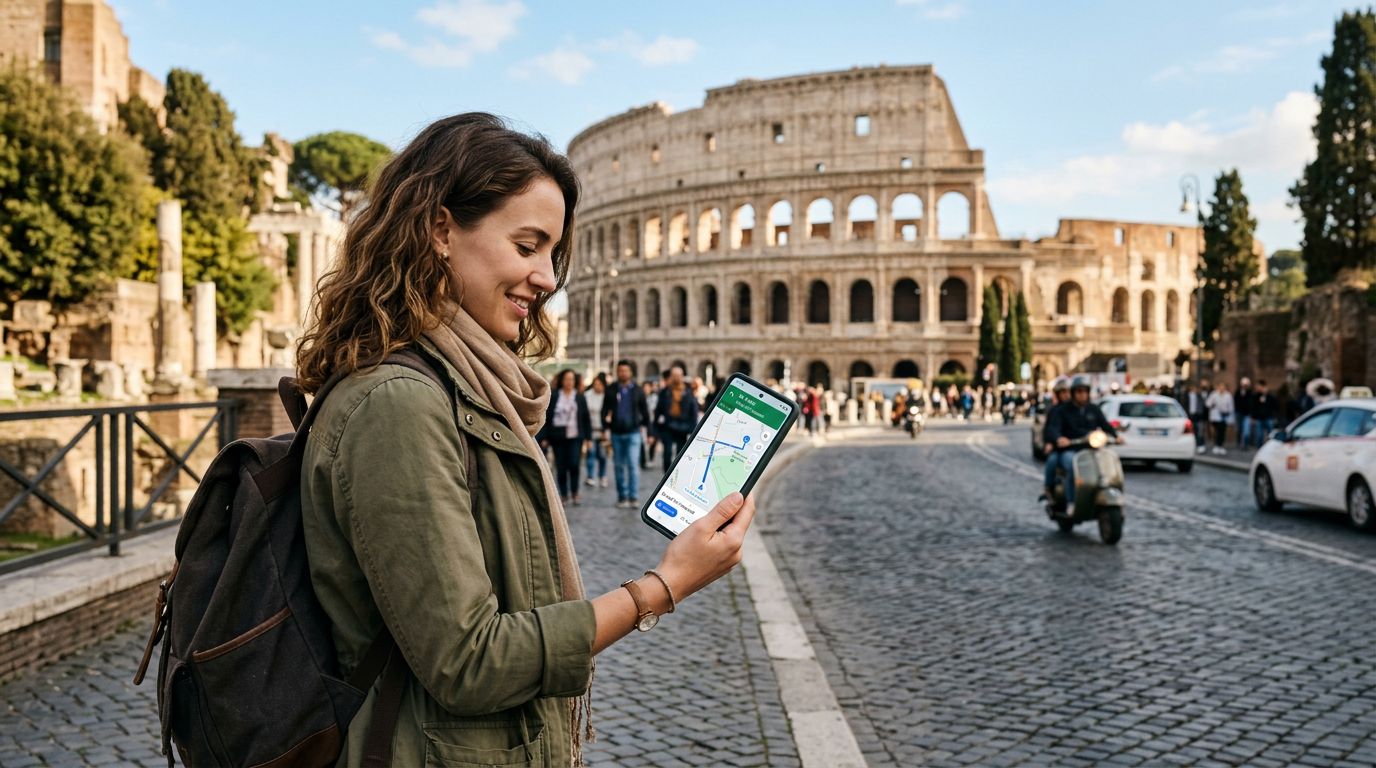
Another critical tip involves mapping and navigation. Relying on real-time satellite imagery or constantly streaming map data is a fast way to exhaust your balance. Instead, download offline maps before you leave your hotel or any location with a stable Wi-Fi connection. Most major mapping services allow you to save entire city regions for offline use. When you are out exploring, your phone will use GPS—which does not require mobile data—to track your location on the downloaded map. This simple habit saves a massive amount of data while ensuring you never get lost in a new city.
Furthermore, be mindful of your messaging habits. While text-based messages consume negligible amounts of data, sending high-resolution photos or videos via messaging apps can be costly. If you need to share memories, wait until you are back on a secure Wi-Fi network. If you must send media while on the go, use your phone’s settings to compress the files before sending them. These minor adjustments, combined with the flexibility offered by OneTapSIM, create a robust strategy for staying connected without the fear of running out of data.
Strategic Connectivity Management with OneTapSIM
The transition to using an eSIM for international travel is one of the most effective ways to manage your connectivity. Unlike traditional roaming, which often forces you onto a single, potentially congested network, OneTapSIM allows you to maintain a consistent connection by utilizing local network infrastructure. This not only improves your signal quality but also provides a more predictable experience.
When you use OneTapSIM, you gain the ability to manage your data usage more granularly. Because you are not tethered to your home carrier’s roaming plan, you can monitor your consumption through your device’s built-in data tracking tools with greater accuracy. If you find yourself in a situation where you need more data, you can easily manage your needs without the administrative burden of contacting a home service provider.
One often overlooked aspect of data management is the use of cloud services. Many users have their phones set to automatically back up photos and videos to the cloud. While this is an excellent practice for data security, it is a disaster for roaming data. Ensure that your "iCloud Photos" or "Google Photos" backup settings are configured to sync only over Wi-Fi. If you are using a service that does not have this setting, turn off the cloud sync feature entirely for the duration of your trip and re-enable it once you return home.
Lastly, consider the role of public Wi-Fi. While it is tempting to connect to every free network you find to save data, be cautious. Public networks can be insecure. Use your OneTapSIM data for tasks that require privacy, such as banking or accessing sensitive work accounts, and reserve public Wi-Fi for low-risk activities like checking restaurant reviews or looking up museum hours. By balancing your reliance on mobile data and public Wi-Fi, you create a tiered approach to connectivity that keeps you safe, informed, and within your budget.
Ultimately, the key to successful international travel is preparation. By auditing your apps, optimizing your device settings, and choosing a reliable connectivity solution like OneTapSIM, you remove the guesswork from your journey. You can focus on the experience of exploring new cultures rather than worrying about the technical limitations of your mobile service. Remember that your phone is a tool to enhance your travel, not a source of anxiety. With these data usage tips, you are well-equipped to stay connected throughout your entire trip, no matter where your destination may be.