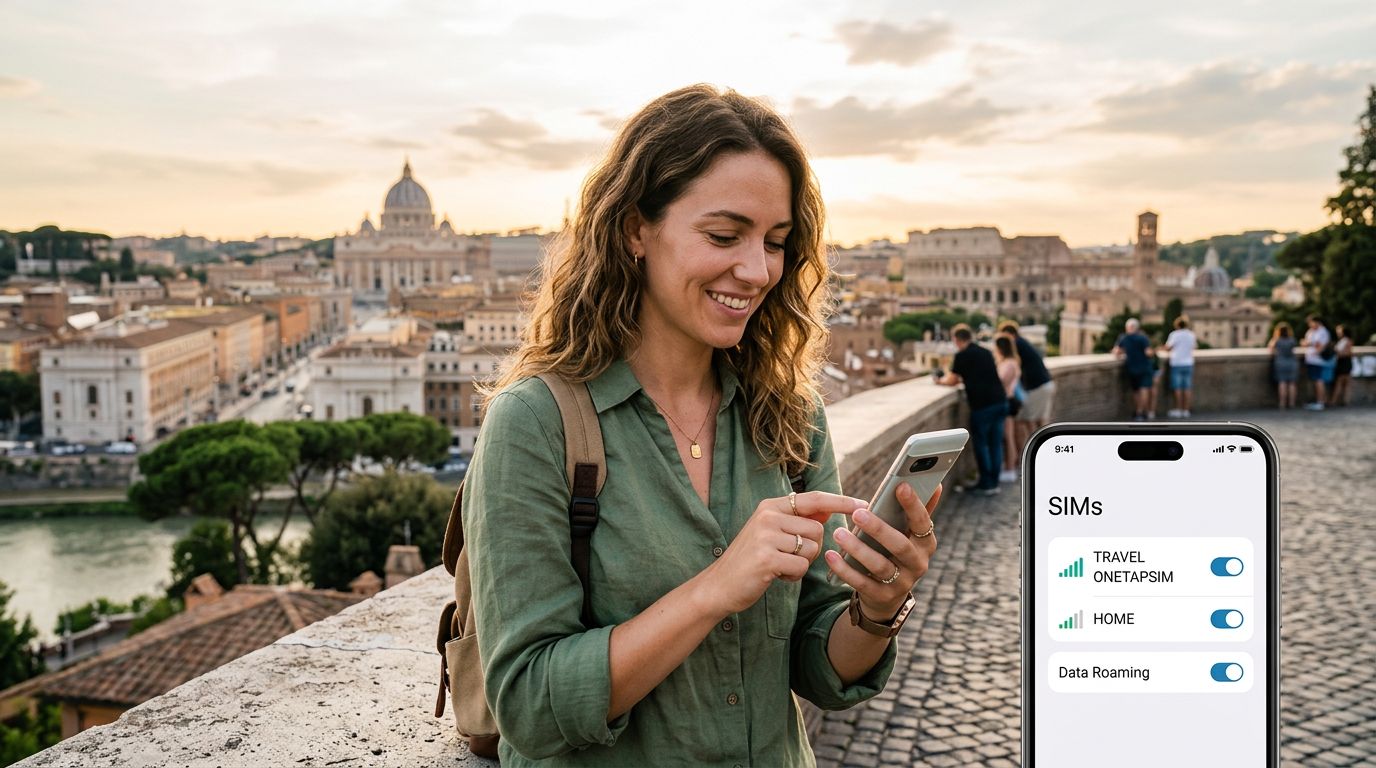
Understanding the Dual SIM Advantage for International Travel
Traveling abroad often presents a logistical challenge regarding connectivity. Historically, travelers had to swap out their physical SIM cards at the airport, risking the loss of their home SIM or dealing with the inconvenience of needing a local phone number for ride-sharing apps or bank verifications. The rise of dual SIM technology has transformed this experience, allowing users to keep their home number active while simultaneously utilizing a local or travel-specific data plan.
When you use a dual SIM phone, you essentially have two separate cellular paths operating on one device. This is particularly useful when you want to receive important text messages or two-factor authentication codes from your home bank while roaming, all while using a more cost-effective data solution for maps, translation services, and social media.
OneTapSIM provides a seamless way to leverage this technology. By installing a digital eSIM alongside your physical home SIM, you avoid the need to physically remove anything from your phone. This setup ensures that your primary line remains reachable for essential calls, while your data-heavy tasks are offloaded to a secondary profile designed specifically for international roaming. Understanding how to manage these two identities is the key to a stress-free trip.
Configuring Your Device for Seamless Connectivity
Before you depart, it is vital to understand how your specific device handles multiple SIM profiles. Most modern smartphones allow you to label your SIMs, which is a simple but effective way to avoid confusion. You might label your home SIM as "Primary" and your OneTapSIM as "Travel." This labeling appears in your settings and at the top of your screen, helping you keep track of which network is providing your data.
On an iPhone, you can manage these settings through the Cellular menu. You can designate one SIM for cellular data and another for voice and text. A common mistake travelers make is leaving "Cellular Data Switching" enabled. If you are trying to avoid roaming charges on your home plan, you should ensure that your phone is strictly using the travel eSIM for data. You can verify this by checking that the travel profile is selected under the "Cellular Data" option.
For Android users, the process is quite similar, though menus may vary depending on the manufacturer. You will generally find a "SIM Manager" or "Network & Internet" section in your settings. From here, you can toggle which SIM is active for data, calls, and SMS. It is a good practice to test your configuration before you leave the airport. Try turning off your home SIM’s data roaming while keeping the eSIM active to ensure that your phone is drawing data only from the travel plan. This small step prevents your home carrier from triggering expensive daily roaming fees the moment you land.
Best Practices for Managing Data and Battery Life
Using two SIMs simultaneously can have an impact on your battery life, as the phone is actively maintaining connections to two different cellular towers. To mitigate this, consider turning off the SIM you are not using for data if you find yourself in an area with poor reception. If one network is struggling to find a signal, your phone will work harder to maintain that connection, which drains power rapidly.
Another essential tip is to monitor your data usage closely. While travel eSIMs are excellent for maps and messaging, streaming high-definition video or downloading large files over cellular data can deplete your allowance quickly. Most phones provide a detailed breakdown of which apps are consuming the most data. You can restrict background data for specific apps in your settings to ensure your data plan lasts for the duration of your trip.
If you find yourself in a location where both networks have strong signals, you can use your OneTapSIM profile to handle all your internet-based communication, such as video calls and emails, while keeping your home SIM on standby for emergency calls. This separation of duties keeps your digital life organized. If you are traveling through multiple countries, OneTapSIM offers flexibility, allowing you to manage various regions under one account profile.
When you return home, managing your dual SIM setup is just as simple. You can easily toggle off or remove the travel eSIM, instantly reverting your phone to its original state. There is no need to worry about reinserting a tiny physical card or finding a SIM tray tool. By treating your travel connectivity as a temporary, secondary profile, you maintain full control over your mobile costs and ensure that your home carrier remains accessible only when you choose to use it. This approach provides the perfect balance of convenience and reliability, allowing you to focus on your destination rather than your phone settings.