Preparing Your Device for Angola
Traveling to Angola offers a unique experience, from the bustling streets of Luanda to the breathtaking natural wonders like the Kalandula Falls. To make the most of your journey, staying connected is essential. Before you depart, the first step is ensuring your smartphone is compatible with eSIM technology. An eSIM is a digital SIM that allows you to activate a cellular plan without needing a physical card.
Most modern smartphones manufactured in the last few years support this technology. Before purchasing a plan, check your device settings to confirm that your phone is carrier-unlocked. If your phone is locked to a specific domestic provider, you may be unable to add an international eSIM. You can usually verify this in your phone’s general settings under the network or cellular menu. If you see an option to "Add eSIM" or "Add Cellular Plan," your device is likely ready to go.
Once you have confirmed compatibility, the process of activating travel eSIM for Angola trip becomes straightforward. You do not need to visit a local store upon arrival or deal with tiny plastic chips that are easily lost. Instead, you can secure your data plan from the comfort of your home. By choosing a provider like OneTapSIM, you ensure that your digital credentials are ready before your plane even touches the runway in Luanda. Having your connectivity sorted in advance allows you to focus on your itinerary rather than hunting for a local kiosk or navigating language barriers at an airport mobile stall.
Installation and Setup Before Departure
The primary advantage of using an eSIM is the ability to install your plan before you leave your home country. This ensures that as soon as you land, your phone is ready to connect to a local network. To begin, you will receive a QR code or a manual activation code after selecting your plan.
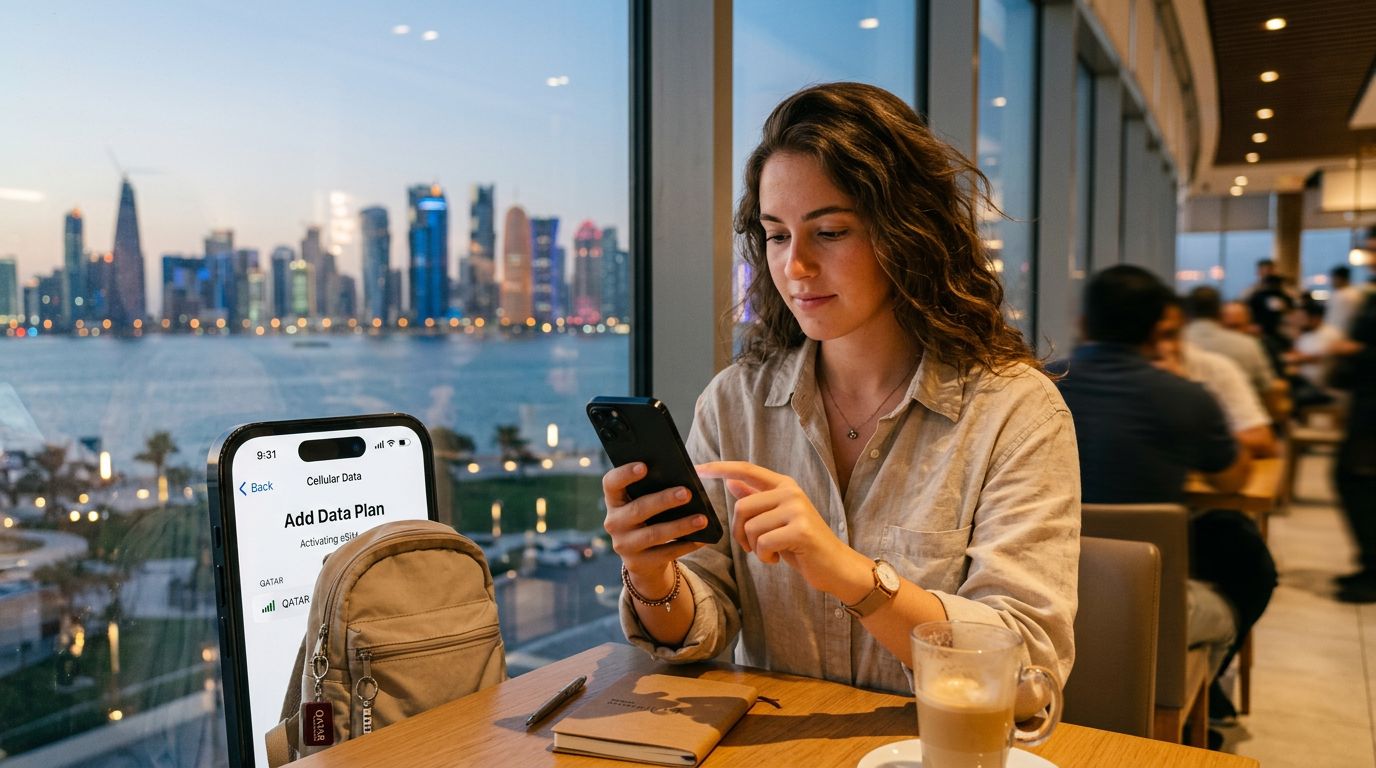
For iPhone users, open your Settings, tap on Cellular or Mobile Data, and select "Add eSIM." You will have the option to scan the QR code provided by your service provider. Once scanned, your phone will download the necessary network profile. For Android users, the process is similar; navigate to your Network & Internet settings, look for the SIMs section, and select the option to add a new SIM. Follow the on-screen prompts to scan your code.
It is important to note that while you can install the eSIM before your trip, you should wait until you arrive in Angola to actually activate the data roaming. Your phone will typically allow you to toggle specific SIM cards on and off. Keep your primary home SIM active for calls if you need to receive important messages, but ensure that the data roaming setting is enabled specifically for your OneTapSIM profile once you reach your destination.
If you encounter any issues during the installation, ensure you are connected to a stable Wi-Fi network. The initial download requires a data connection to register your device with the local network towers in Angola. Do not delete the eSIM profile if it does not connect immediately; sometimes, a simple restart of your device is all that is required to refresh the connection and allow the phone to register with the local provider.
Managing Connectivity and Data Usage in Angola
Once you land in Angola, the transition to your travel eSIM should be seamless. If you have followed the setup steps correctly, your phone should automatically detect the local network. If it does not, go into your cellular settings and manually select the network provider listed in your setup instructions.
One of the most common questions travelers have is how to manage data consumption while abroad. When you are using a travel eSIM, it is helpful to monitor your usage through your phone’s built-in data tracking tools. Most modern operating systems provide a breakdown of which apps are consuming the most data. To conserve your allowance, consider turning off background app refresh for non-essential applications and downloading offline maps for the areas you plan to visit.
Using a service like OneTapSIM provides a reliable way to stay online without the stress of unexpected roaming charges from your home carrier. Because your eSIM is dedicated to data, you can continue to use your primary number for essential SMS or voice calls if your device supports dual-SIM standby. This hybrid approach is ideal for business travelers who need to stay reachable on their home number while maintaining high-speed data for navigation, translation apps, and social media updates.
As you explore Angola, you may find that network speeds vary between urban centers like Luanda and more remote provinces. This is standard for any mobile network. If you find yourself in a location with limited coverage, try toggling your "Airplane Mode" on and off; this forces the device to re-scan for the strongest available signal. Remember that your eSIM is designed specifically for data, so if you need to make voice calls, consider using internet-based messaging services like WhatsApp or Signal, which function perfectly over your data connection.
By taking the time to set up your digital connection properly, you remove one of the most common sources of travel anxiety. You will arrive in Angola with the confidence that you can find your way, communicate with your hosts, and share your experiences in real-time. Activating travel eSIM for Angola trip is a modern solution for the modern traveler, providing a reliable bridge between your home and your destination. Whether you are visiting for the vibrant culture, the business opportunities, or the natural beauty, having a dedicated data plan ensures that your focus remains on the journey rather than the logistics of your mobile service.
Get an eSIM for
Plans for the destinations covered in this guide, with instant QR delivery.